image

Add Effects To Images Using Image Filters With PHP

The imagecreatefromjpeg() function has been part of the PHP library since version 4, allowing programmers to load an image directly from a file. However, the imagefilter() has only been available since version 5 and adds a nice little set of effects to an already useful function.

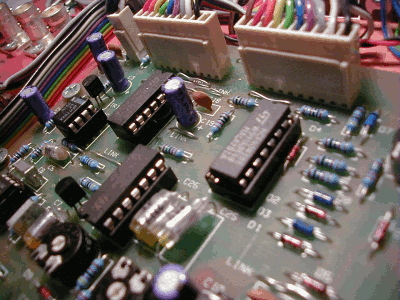
The effects are created using the function in conjunction with a set of constants. Take the following image taken from the free stock images site.

Default Electronics image

I chose this images because it has lots of colour and will show the techniques working well. To create the effects you need to use the following bit of code, in this case I am using the negative filter.

Capture A Website As Image With PHP

One thing that comes in useful when linking to other websites is to use a little thumbnail of the site as part of the link. Although it is possible to do this it usually involves having command line access to the server so that you can install various different programs and extensions.

The simplest mechanism accomplish this is to use third party sites to create the thumbnail for you. Here are a few examples of free thumbnail services.

www.thumbshots.org

Thumbshots provides access to small images (thumbnail size) of many different websites. However, they are very small, with no way to change this, and can often be weeks out of date if the site has had a redesign. You can access Thumbshots from any webpage by using an image with a source that reads from the Thumbshots website.

PHP Exif/IFD0 Functions

The Exif/IFD0 functions in PHP work with images to pull out meta data associated with them. Most image applications and digital cameras will produce an image with a certain amount of meta data present. This is obvious stuff like file size and creation time stamps, but you can also get stuff like copy right notices, camera name, date picture taken and even things like location if the camera was linked to a GPS system. This meta data can be used to sort or categorise images.

Installation

On Linux systems you must configure exif support with the command --enable-exif when calling the configure script.

On Windows all you have to do is uncomment the lines in your php.ini file for the DLL's php_exif.dll and php_mbstring.dll. However, you must ensure that the php_mbstring.dll DLL is loaded before the php_exif.dll DLL. So you will need to edit your php.ini file so that php_mbstring.dll is located above php_exif.dll.