Articles

Custom Search Form With Wordpress Search Widget

When adding a search form to your Wordpress blog you will want to have control over what sort of form is displayed. It is possible to override the search form created by the widget function without having to go into the /wp-includes/widget.php file and editing the wp_widget_search function. Here is the function that is present in Wordpress 2.6.

Getting Started With Wordpress Templates

If you are setting up a Wordpress blog the chances are that you will be looking into modifying the default theme to be something a little more customised to your site. Theme development can be as complicated or as simple as you want, or are capable of doing.

Wordpress themes are stored in the folder wp-content/themes/, each theme being stored in it's own directory.

The basic theme must contain two basic files, the main control is done from a file called index.php and a file called styles.css, which is also needed to allow you to display the theme within the admin section of Wordpress. If you don't want to use the styles.css file then this is fine, but it should be present and contain the following lines.

Adding Numbers In JavaScript

You think I'm joking right? Well, due to a silly mistake (in my opinion) when creating the language the concatenation character is the same as the plus symbol. This means that sometimes JavaScript will add them together and sometimes it will concatenate them.

This occurs if JavaScript encounters any part of the calculation to be a string. If it is then it will concatenate the whole expression. For example.

alert("1"+2+3);// prints out "123" rather than 6

To stop this you need to add the parseInt() function to the part of the addition that might be mistaken as a string. Or the whole thing just to make sure. The following is a bit of an overkill but ensures that the values will be added, NOT concatenated.

Practical PHP Programming An Online PHP Resource

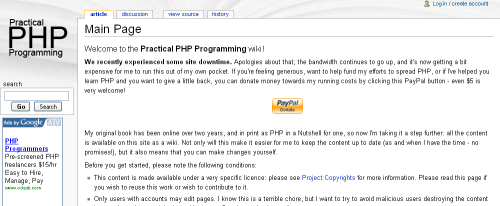
Practical PHP Programming is a wiki site that has been set up to provide a central area for PHP developers to contribute to learning and understanding PHP. This site was recently called Hudzilla and was a pretty good online PHP book.Practical PHP ProgrammingPractical PHP Programming was a pretty good site when it was just static pages, people were always linking to it from the php.net site in order to explain something that wasn't clear in the documentation. I think that the decision to turn it into a Wiki can only lead to it becoming a better resource.

Add Effects To Images Using Image Filters With PHP

The imagecreatefromjpeg() function has been part of the PHP library since version 4, allowing programmers to load an image directly from a file. However, the imagefilter() has only been available since version 5 and adds a nice little set of effects to an already useful function.

The effects are created using the function in conjunction with a set of constants. Take the following image taken from the free stock images site.

Default Electronics image

I chose this images because it has lots of colour and will show the techniques working well. To create the effects you need to use the following bit of code, in this case I am using the negative filter.

Using !$ To Use Last Parameter

Much like using Alt+. to print out last parameter you can also use !$ to use the last parameter from the previous command. Here is a simple example.

# cd ..
# cd !$

In this example we are moving up a directory and then doing the same action again, the !$ is a short cut to get hold of the ... This is more useful when doing things with longer parameters like directory or file names. For example here we are creating a directory and then moving into that same directory.

# mkdir /www/htdocs/directory/
# cd !$

Raising Skinny Elephants Is Utterly Boring

This might sound odd, but this is a mnemonic that helps you remember a sequence of letters that you can enter when your Linux system is locked. This is a last ditch attempt to get things up and running again and should only be used if all else fails and the only other thing that you can do it pull the plug.

If you have also tried pressing Ctrl+Alt+backspace and this does nothing then you can try using the key sequence Raising Skinny Elephants Is Utterly Boring.

Hold down the left Alt key and the SysRq key (found on the print screen button) and press each letter in turn. Make sure that you give a little time between keystrokes.

  • r
  • s
  • e
  • i
  • u
  • b

Here is a description of what you are doing.

Printing Out File And Class Information In PHP

If you are debugging a PHP application then you might want more information than the values of some current variables. There are a number of built in magic variables that can be used to print out the file name, line number, class and method that the debug statement is printed out on. Here is an example that prints out some information from a class.

Optimize A MySQL Table Using PHP

In MySQL the OPTIMIZE TABLE can be used if you have made changes or have deleted large parts of the table.

Any deleted rows are kept behind the scenes in the server in order to allow the reuse of these spaces. The OPTIMIZE TABLE command reclaims the unused space and defragments the data file.

For a normal MyISAM table the OPTIMIZE command works in the following way.

  1. If the table has deleted or split rows, repair the table.
  2. If the index pages are not sorted, sort them.
  3. If the table's statistics are not up to date (and the repair could not be accomplished by sorting the index), update them.

You can do this automatically by using the following PHP code.

Overloading Functions In PHP

One thing that PHP doesn't allow is the creation of multiple functions with the same name. If you try this then PHP will give you a fatal error. Creating different functions with the same name is useful if you want to pass different parameters to a function that produces the same result. There are two ways around this problem.

The first is that you can pass the function an array of the items that you want. You can then use this array in the function to do whatever you want. For example.