JavaScript

JavaScript Round To The Nearest 5

I have already talked about a JavaScript function that rounds To the nearest number, but this was only useful if the number needed to be to the nearest 10 (or factor of). The following function is similar, but will round the number to the nearest 5 or 10, depending which is closer.

function round5(x)
{
    return (x % 5) >= 2.5 ? parseInt(x / 5) * 5 + 5 : parseInt(x / 5) * 5;
}

Use the function like this:

alert(round5(12)); // returns 10
alert(round5(14)); // returns 15

JavaScript Round To Nearest Number

The JavaScript Math.round() function will round a decimal to the nearest whole number, but I found that I needed was to round a number to the nearest 10. So after a bit of thinking I realised that I could divide the value by 10, round it using the round() function and then multiply the result by 10.

So taking it a step further I decided to create a function that would round a number to the nearest 10, 100, 1000 or whatever value is entered. If this value is less than 0 then do the reverse by multiplying and dividing the number by the given value of accuracy. Here is the function.

function roundNearest(num, acc){
    if ( acc < 0 ) {
        num *= acc;
        num = Math.round(num);
        num /= acc;
        return num;
    } else {
        num /= acc;
        num = Math.round(num);
        num *= acc;
        return num;
    }
}

Here are some tests of the function.

PHP foreach Equivalent In JavaScript

If you are familiar with PHP you will have come across the for loop at some point. When learning JavaScript it is important to remember that it also has the ability to do the equivalent of the PHP forloop.

The following snippet shows the creation of an array of things that can't be referenced by a normal for loop due to the odd numbering of the keys.

var arrThings= new Array();
 
arrThings[3] = 'thing 1';
arrThings[42] = 'thing 2';
arrThings[47] = 'thing 3';
arrThings[32] = 'thing 4';
 
var output = '';
 
for ( var thing in arrThings ) {
 output += arrThings[thing];
}

alert(output);

The variable thing is now the iterator and will iterate through each element of the array. By using this code you no longer have to include code that thinks about the length of the array.

Display JavaScript Source Programmatically

If you are running a JavaScript example page you can use the following function that will take the last script element on the page and print it out in a code tag. It uses JQuery to do the work, so you will need to include that library before using this function.

Something To Be Aware Of JavaScript isNaN

The isNaN() function (NaN stands for Not a Number) can be useful if you are looking at form inputs or similar and is used to detect if a value is not a number. For example, the following code shows the output of isNaN() on two variables.

var number42 = "42";
var wibble = "wibble";
alert(isNaN(number42)); // Prints out false
alert(isNaN(wibble)); // Prints out true

This first test is true because the number 42 is, in fact, a number. The second test is false because wibble isn't a number. This is simple enough, but what if we started looking at some different values?

Google Ajax Libraries

Strictly speaking the Google Ajax libraries don't contain only Ajax libraries, but they are very useful for a variety of reasons. Google host a variety of different JavaScript libraries which you can link to on your pages rather than download the library and host it on your server. You can use MooTools, JQuery, Prototype/Scriptaculous, Dojo and even the Yahoo! User Interface Library.

How To Use Them

Using the Google Ajax libraries on your own site is quite easy, and you can do it in a number of different ways.

Normally, you would download the latest and greatest version of your chosen library and upload it to your site. Here is an example using the MooTools.

<script type='text/javascript' src='http://www.hashbangcode.com/mootools.js'></script>

You can include this via Google using the following.

JS Bin

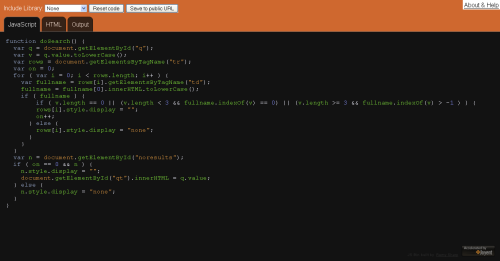
JS Bin is an online tool that allows you to test JavaScript without having to muck about with files. You can just quickly cut and paste some code in and view the output. It is even possible to make the code you are looking at public and then use this as part of an ajax call in another instance of the application.

To get you started there is a nice help section, which also includes a couple of videos.

JS Bin

This tool really impressed me, especially the easy inclusion of several different JavaScript frameworks. I don't mind testing JavaScript, but sometimes I just want to run a little bit of code on it's own to see why it isn't working as I expected it would. This tool fills that much needed gap, and the addition of allowing other people to view your code is a very nice feature. Well worth a look!

JavaScript Redirects

There are two main ways in which to redirect the browser using JavaScript, both of which look at the location of the window object. These are the location.href property and location.replace function.

location.href

The following example will cause the page to redirect to another page, keeping the browser history. This might seem like a minor point, but if you redirect a user to another page they will be able to click back, which will mean that they are redirected again.

Wordpress Post Friendly Code With JavaScript Replace

I recently talked about adding code to blogs and comments to Wordpress and making sure that certain characters are encoded properly. So to simplify things I thought I would create a little set of regular expressions that takes a sample of code and convert it into a Wordress friendly format. It consists of the following function, which takes the value of a text area called tochange and runs some regular expression replace functions on it. I have kept the expressions as simple as possible so they are quite easy to understand. The g argument for each expression means that the replace will be done for all of the text.

Irritating JavaScript Virus Message Popup And Redirect

The other day I was approached by a friend who had this odd looking virus message on their screen. They said that they hadn't been doing anything in particular, just writing an email and surfing the net in Firefox when all of a sudden this pop-up appeared on screen and told them they had a virus.

The thing that caught my friend by surprise was that they were using Firefox and therefore shouldn't be able to get pop-ups. However, on closer inspection is appeared to be a JavaScript confirm message. My friend clicked on the Cancel button and one of the pages they had open redirected to this very dodgy looking site which promptly started to do a dummy virus scan.