JavaScript

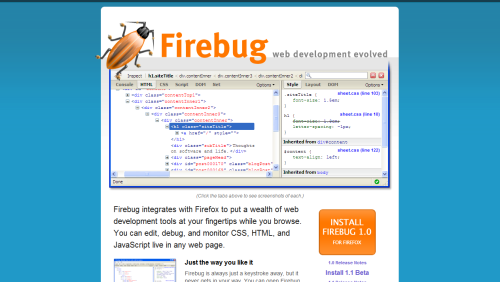
Firefox JavaScript Debugging And Development With Firebug

Firebug is by far the best JavaScript debugging plug-in available for Firefox. I have been stuck on a few problems in the past and Firebug has usually provided me with a reason as to why things are going wrong. In fact when developing for other browsers (like Internet Explorer) I can feel a little blind as there are no debugging tools with the power and features of Firebug. It can allow you to stop JavaScript execution at any time using breakpoints.

Firefox JavaScript Debugging And Development With Firebug

Firebug is important if you are creating AJAX applications as it will tell you about every client/server communication, what headers where sent and what the response was.

Insert Random Data Into Rabid Ratings

Rabid Ratings is a neat ratings script written with the Mootools JavaScript framework that makes adding a rating function to any site very easy. The only problem is that when you first install the script it looks like no-one has ever visited your site to leave a rating. To combat this you can create lots of phoney data that makes it look like your site is well visited and interesting. One way to do this is by getting lots of people to vote on every rating on the site. However, a much easier way is to do this with a few handy MySQL commands.

The following query will create a random vote of between 50 and 100 for each rateable value.

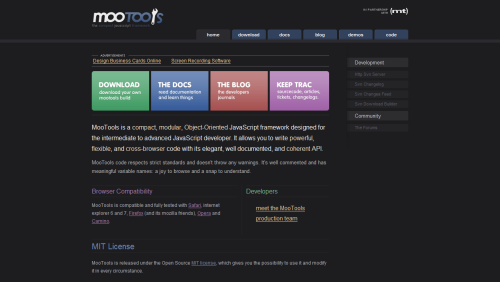
MooTools Home Page

If you are looking for information about the MooTools JavaScript framework then your first stop should be the MooTools home page. The site not only allows you to download MooTools, but it is also a great resource for learning how to use MooTools.

MooTools JavaScript Framework

There are examples of all the things you can do on the demo page, and information about all of the classes available in the framework on the documentation pages.

Using JavaScript To Run Form Events

Creating a form as part of an AJAX control is a common practice, but when you include a submit button within the form the default behaviour of the form is to redirect to the destination supplied in action. To run a form using JavaScript you need to include two things.

<form action="javascript:return false;" method="post" id="analysisForm" >

In order to overwrite the normal operation of a form you will need to replace the action attribute with some JavaScript code that returns false. This is can be done in the form of come in-line JavaScript code (commonly called a bookmarklet) in the place of any URL in the action attribute of the form.

Next, in order to actually get JavaScript to intercept the form submission action an onsubmit event is added to the form tag.

JavaScript Simple Loop Optimisation

When writing JavaScript applications I normally write for loops like this.

for (var i = 0; i < elements.length; ++i) {
  // loop...
}

There isn't anything wrong with this, but it is not an efficient way of doing things. All it takes is a little knowledge of what the for loop does every time it runs. The loop can be split into three sections like this.

Highlight Area With mootools

Creating a simple highlight effect is quite easy when you use the JavaScript framework mootools.

The first thing to do is grab the mootools library from the site and link it in your web page. You can select different components with mootools, but if you grab the whole thing you can start to play with whatever you want. Put this line of code in the head section of your web page.

<script type="text/javascript" src="mootools.js"></script>

For this example I want the highlight to occur when the page has finished loading. So I use the window.addEvent function to add an action for the 'domready' event to the window object of the page.

Generic User Agent Detection In JavaScript

Detecting the user agent in JavaScript can be important due to the way in which different browsers implement JavaScript. Sometimes it is necessary to create logic to do one thing in Firefox and another thing in IE. Luckily, all modern browsers support the navigator.userAgent property so that is a good start.

Because it is possible to mask your user agent in Opera it is necessary to detect this browser first. There are actually two different ways to hide the user agent in Opera. The default user agent is as follows:

Opera/9.23 (Windows NT 5.1; U; en)

It is possible to identify Opera as either Firefox or Internet Explorer. In this case the version of Opera is appended to the end of the user agent string so it is still possible to detect if the user has Opera and act accordingly.

Identify as IE

JavaScript Scrolling Box Marquee Replacement

Having a Marquee on a web page is a nightmare from an XHTML validation point of view, so here is a neat function that will produce the same effect as a vertical scrolling marquee, that passes XHTML validation, and built entirely from JavaScript and CSS.

Vertical Scrolling

Take the following HTML code. Don't worry about reading it. It is just 7 p tags (2 of which act as spacers) contained within a div tag.

Flashing JavaScript Text

Here is a simple function that makes text in a tag fade into one colour slowly before quickly fading back into the original colour. If the background is the same colour as the text then the text will appear to fade in and out.

JavaScript Working Text

Letting the user now that something in the background is working is an essential part of website usability. If nothing at all happens then the user will more than likely either try again or go elsewhere. A good way of doing this is to have a little bit of text that says "Working" and animate dots behind it. Here is a function that will do this.

var strDots = '';
var dotLength = 10;
var timeout = 500;
function dots()
  { 
  strDots += '.';
  if ( strDots.length == dotLength ) {
    strDots = '.';
  }
  document.getElementById('working').innerHTML = "<b>Working"+strDots+"</b>";
  dotTimer = setTimeout('dots()', timeout);
}

You then need to add the following bit of HTML to your page to start the dots off. The first one will print off:

Working

Followed by: