PHP

Write PHP Standards Compliant Code With PHP CodeSniffer

One of the biggest problems I have found with PHP is the reputation that it gets. This is due to the amount of abuse that the language undergoes by many developers every day. They write code that works, and is efficient, but trying to figure out what it does can take hours as there are no comments, and the code is generally written in any old way. PHP is quite lenient with regards to how code is written.

This is where CodeSniffer comes in. CodeSniffer is a PHP5 script that goes through any PHP (or JavaScript) file that you give it and detects coding violations from a defined set of coding standards. These standards start out with the simple things like using spaces instead of tabs (due to the way in which tabs are displayed differently on different computers) to the more complex things like prefixing private variables with an underscore.

Find The Number Of Days For A Given Month With PHP

There are two ways to find out the number of days for a given month. The first is to use the date() function in conjunction with the mktime() function to create a date and format this value as the number of days in a given month.

$monthDays = date("t",mktime(0, 0, 0, 12, 1, 2008));

The second way is to use the function cal_days_in_month(). This function takes three parameters.

Find And Replace On All Files In And Below A Directory

The following shell command uses the find function to find all files in or below the current directory that have the extension php. It then passes each file found onto a sed command which then replaces all <? with the longer <?php version.

find . -name '*.php' -exec sed -ie 's#<?#<?php#' {} \;

The -name argument in find will look at the base of the file name, that is, the file without any directory path. The -exec command is used to pass each file found onto another command, in this case sed is used.

PHP Function To Work Out Factorial Numbers

Factorial of a number is defined as the product of the number and all of the numbers small than it. So if you take the number 4 the factorial of that number is 24 or 1 x 2 x 3 x 4.

Factorials are useful for a number of applications, for example when working out how many times a set of objects can be combined in different ways.

Use the following PHP function to work out the factorial of any given number. The first thing it does it make sure that the number is greater than 1 because the factorial of the number 1 is 1.

Get Fibonacci Numbers Using PHP

Fibonacci numbers not only have a few uses, but are also quite a nice little number sequence in themselves.

The sequence starts at 0, the next number is 1, and every number after that is the sum of the last two numbers. So the third number is 1, and the second number is 2.

To create this number sequence in PHP we need to create the first two items in the array. As we know that these are 0 and 1 we can create the array like this.

$fibarray = array(0, 1);

To create the third number we just add the first two numbers together.

$fibarray[2] = $fibarray[0] + $fibarray[1];

This can be continued for as much as we want if we add it to a loop.

for ( $i=2; $i<=10; ++$i ) {
 $fibarray[$i] = $fibarray[$i-1] + $fibarray[$i-2];
}

This will create an array with the following values.

Planet PHP

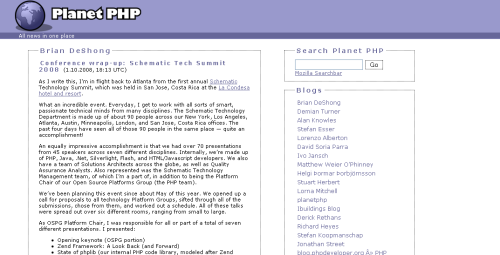
Planet PHP is a feed aggregator blog specifically for PHP related blogs. There are a good number of blogs that the site uses to update with so there is always plenty of stuff going up on the site. The site is not run by PHP, and is an independent project run by Christian Stocker and Tobias Schlitt.

Manage MySQL Databases With phpMyAdmin

The good thing about this site is that it saves having to go through all of the blogs in turn to see what is interesting in the world of PHP. If you run a PHP blog you can submit your site to the list and get your articles included in the updates.

Writing Function Code To Be More Readable

Last month I started writing functions in a particular way, which has made my life as a programmer much easier on more than one occasion. No matter how many comments or verbose parameter names you put in you can end up writing code that you will get lost in. The reason is simple. Lets say you had a function that took in a couple of parameters.

function myFunction($intNum1, $intNum2){
 // function does something
}

Normal practice is to check the parameters to make sure that they are what you expected them to be before continuing on with the rest of the function. Let's say that we only want the numbers to be in a range. If they are not in the range the function should return false. Many programmers might start of writing something like this.

Simple Swear Filter In PHP

Use the following function to filter out words from user input. It works by having a pre-set array of words that are to be excluded, this array is then looped through and each item is used to replace any instances of that word within the text. The regular expression uses the \b character class, which stands for any word boundary. This way you don't get the middle of words being filtered out when they are not meant to be.

By using the e of the preg_replace function it is possible to run PHP functions within the output. In this case we count the number of characters found in the replace and use this to create a string of stars (*) of equal length.

Search Engine Spider Detection With PHP

Part of any search engine optimisation strategy should always be that the user and the search engine see the same thing. If you start delivering different content you will either end up not performing or just getting outright banned. However, there are certain circumstances where you will want to detect the presence of a search engine spider. For example, let's say that you had a link to a section of your site, and you wanted to add a counter to it that registered an action every time a user clicked on the link. One way of doing this would be to add a parameter to the URL of the link, if the parameter is present then it is a user going through the site and so the action will be registered. You don't want to register every time a search engine bot spiders the site so using the following function will allow you to turn off this parameter for these spiders.

Directory Iteration With DirectoryIterator() In PHP 5

The normal way of looping through a directory is to get a handle on the directory, then go through each item, making sure that the file is readable and is not "." or ".." before doing something with the file. Because this is done a lot the DirectoryIterator() object was created in PHP5 to simplify this process.

The constructor of the DirectoryIterator() object takes a single parameter, this is the path of the directory that is to be iterated over.

$dir = new DirectoryIterator('/');

To get the current working directory you can use the PHP function getcwd(). This will return the directory that the PHP script is being run from.

$dir = new DirectoryIterator(getcwd());

The previous bit of code will open up the root directory of your server. If you are on a Linux server you will see directories like dev, var, srv, etc, lib, home, root, sbin and usr.