Articles

Some Common Timestamp Intervals

Using timestamps is quite a common practice, but converting them into "real life" times can be a little hard. So here are some common time intervals that you might need.

When To Use .htaccess Files

Hypertext access, or .htaccess files, allow you to change the Apache configuration on a by directory basis. However, you should always use the main server configuration file to do configuration changes whenever possible. This is because when Apache is configured to process .htaccess files it looks at every directory underneath the current directory to see if there are any files present, resulting in a slightly longer page load time. Although this might not be noticeable with low traffic levels, at high traffic levels it can cause sites to slow down. You should therefore use .htaccess files only when the main server configuration file (http.conf) is inaccessible.

To increase performance you can use the AllowOverride directive in your top level directory, or any directory who's subdirectories do not use .htaccess files. This will stop Apache from searching through all sub directories.

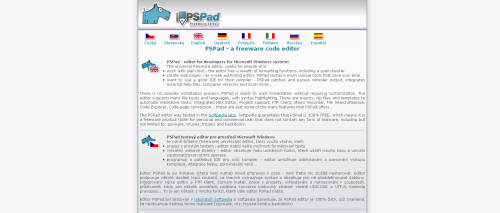
PSPad - The Free Text Editor

Since starting programming I have used a lot of text editors, some have been good, and some have been very, very bad.

One text editor that stands out is PSPad. It is a free text editor for Windows that has lots of features and is very stable. I have been using this for a while now and have seen very little problems. I say "very little" as I once tried to open a 800 megabyte log file and it fell over, which is understandable.

PSPad

It has the following features:

Create A Web Colour Pallette With PHP

Use the following bit of code to create a web safe colour table. In order to for the name of each colour to be displayed the background colour array is reversed and used to create the foreground colours. This makes white text appear on black backgrounds and visa-versa, the only problem is that in the middle of the table it will display grey on grey.

Mask Email With ASCII Character Codes In PHP

Hiding your email address in an image is the best way of encrypting your email, but if your server doesn't support the GD2 library, or if you don't want to use it, then you might want to look at a different way of doing this.

The easiest way to encrypt your email address is to turn every character into the ASCII code equivalent and use this to display the text in HTML by putting a &# in front of each character. Here is a function that takes a string and turns it into HTML encoded text.

function maskEmail($email) {
 $hiddenEmail = '';
 $length = strlen($email);    
 
 for ($i = 0;$i < $length; $i++) {
  $hiddenEmail .= "&#".ord($email[$i]).";";
 }
 
 return $hiddenEmail;
}

To use this just feed an email address into it.

Wordpress.org

Wordpress is a very impressive blogging platform written in PHP and JavaScript. Impressive in terms of features, ease of use and stability. Wordpress comes with two default templates and two examples plugins, but you can very easily create your own templates and plugins with the Wordpress API.

Looking at the code behind Wordpress there are several classes that it uses to accomplish certain things. For example, Wordpress uses the IXR class from Incutio as a XML-RPC server/client. Doing this saves the Wordpress developers from re-writing things that other people have written so that they can concentrate on the important things.

Convert HTML To ASCII With PHP

The reverse of turning ASCII text into HTML is to convert HTML into ASCII. And to this end here is a little function that does this.

Turning ASCII Text Into HTML With PHP

Providing a text box for users to type information in is very common, but usually people want to include line breaks and links with the text and they expect the site to lay it out just as they had intended it. The following function will turn any ASCII text string into the approximate HTML equivalent.

Insert Random Data Into Rabid Ratings

Rabid Ratings is a neat ratings script written with the Mootools JavaScript framework that makes adding a rating function to any site very easy. The only problem is that when you first install the script it looks like no-one has ever visited your site to leave a rating. To combat this you can create lots of phoney data that makes it look like your site is well visited and interesting. One way to do this is by getting lots of people to vote on every rating on the site. However, a much easier way is to do this with a few handy MySQL commands.

The following query will create a random vote of between 50 and 100 for each rateable value.

Change MySQL Table Name

To change a table name in MySQL you can use the ALTER TABLE command with the parameter RENAME TO. Here is an example of a query that will rename the table "atable" to "newtable".

ALTER TABLE atable RENAME TO newtable;

You could also use the RENAME TABLE command with the same effect.

RENAME TABLE atable TO newtable;

This is also useful for renaming all of the tables in the database, just separate each table rename command with a comma.

RENAME TABLE atable TO newtable, anothertable TO anothername;

This should enable you to rename all tables in the database, perhaps with a new prefix.